
Insights
The state of your sticky element
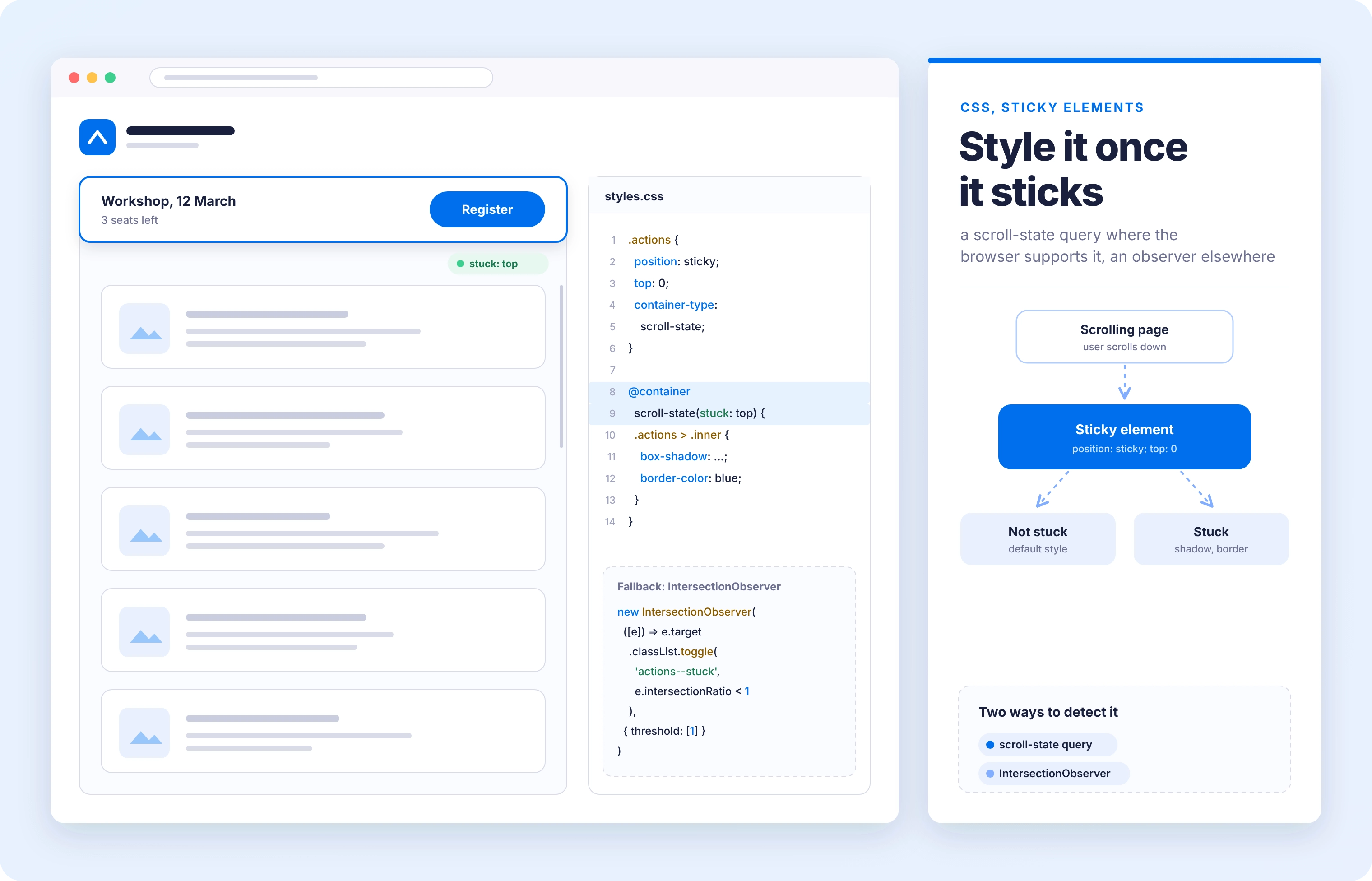
When styling your page and working out the perfect UI/UX for your users, you often find yourself in the situation that you want to apply specific styling to an element under certain specified conditions.
A common example would be an input field that is clicked and ready to be filled with input, we apply styling to the focused state like so:
1input {2 width: 100px;3 height: 20px;4 border: 1px solid grey;5}67input:focus {8 border: 1px solid blue;9}10
It's that simple, we have a grey border on default, but when the input is focused the input gets a blue border.
Well, let's do the same for a sticky element, shall we?
1.element__with-input {2 width: 100px;3 height: 20px;4 position: sticky;5 top: 0;6}78.element__with-input:stuck {9 background-color: gooeygreen;10}11
Hate to break it to you, but this is not going to work, there is no pseudo-class called ':stuck'... For a long time there was no native way at all to see when your element is stuck or not.
The native way (almost)
Since 2025 you can do this in CSS itself. With a scroll-state container query you make the sticky element a container and ask whether it is stuck:
1.element__with-input {2 position: sticky;3 top: 0;4 container-type: scroll-state;5}67@container scroll-state(stuck: top) {8 .element__with-input > .inner {9 background-color: gooeygreen;10 }11}12
There are two things to keep in mind. A container query styles the children of the container and not the container itself, so you need an extra wrapper inside your sticky element (the .inner above). Also, Chrome and Edge support it since version 133, but not every browser does yet, so check Can I use before you rely on it. Browsers that don't know the query just ignore it, so nothing breaks there.
If it has to work in every browser, we still need to build something ourselves. So, what do we need?
- A way to observe whether the element that has position:sticky has passed some sort of boundary.
- Apply or toggle a second class to the element that indicates when that boundary has been crossed ( got stuck ).
- We also need to figure out when the element is out of its sticky state and is 'unstuck' to un-toggle the specific styling.
Let's get to work,
we need a way to observe... since we are using Typescript here at YTEC, I made a sticky-element-handler.ts and within that file, I made use of an Intersection Observer
This will give me the ability to asynchronously observe whether my element has been intersected.
I added -2 pixels to the bottom of the sticky element and when the Y-offset of the viewport is lower than 1 intersected pixel, the code will trigger the --stuck class
giving the sticky element the following classes: element__with-input element__with-input--stuck.
Awesome, now we can add styling in the CSS or in my case the SCSS file by targeting the element__with-input--stuck class which will overwrite the element__with-input class.
All in all, we made an observer to see a certain threshold has been set in order to toggle a stuck specific class to the existing element for us to style!
By viewing the code you will get a better understanding of the observer at work:
1export class StickyChecker {2 constructor() {3 const stickyElement = document.querySelector(".event-detail__actions");4 const observer = new IntersectionObserver(5 ([e]) =>6 e.target.classList.toggle(7 "event-detail__actions--stuck",8 e.intersectionRatio < 19 ),10 {11 threshold: [1],12 }13 );14 observer.observe(stickyElement);15 }16}17