
Insights
Unable to sign out from 'portal.office.com' is not considered a security issue
Wiebe Cazemier
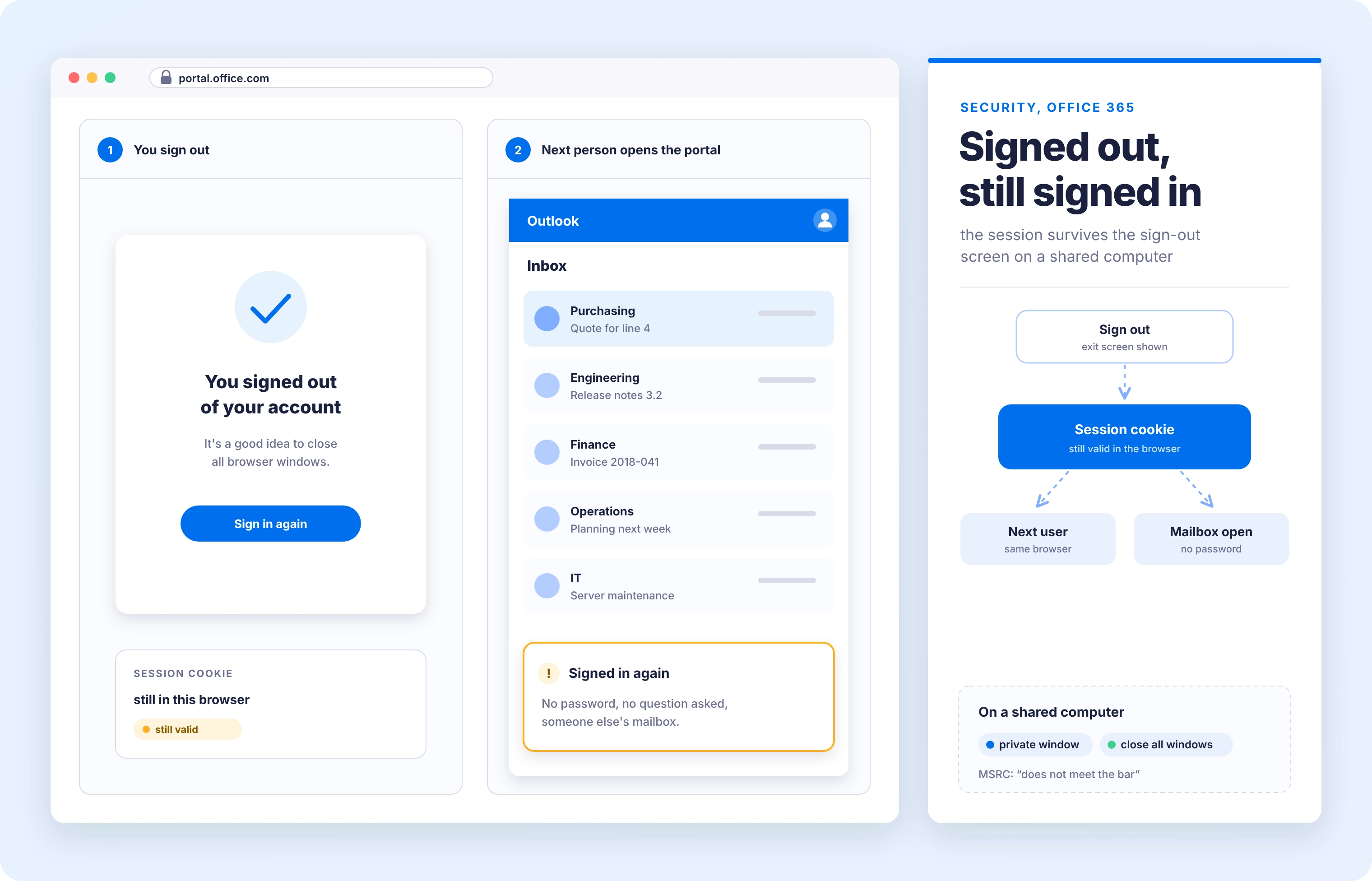
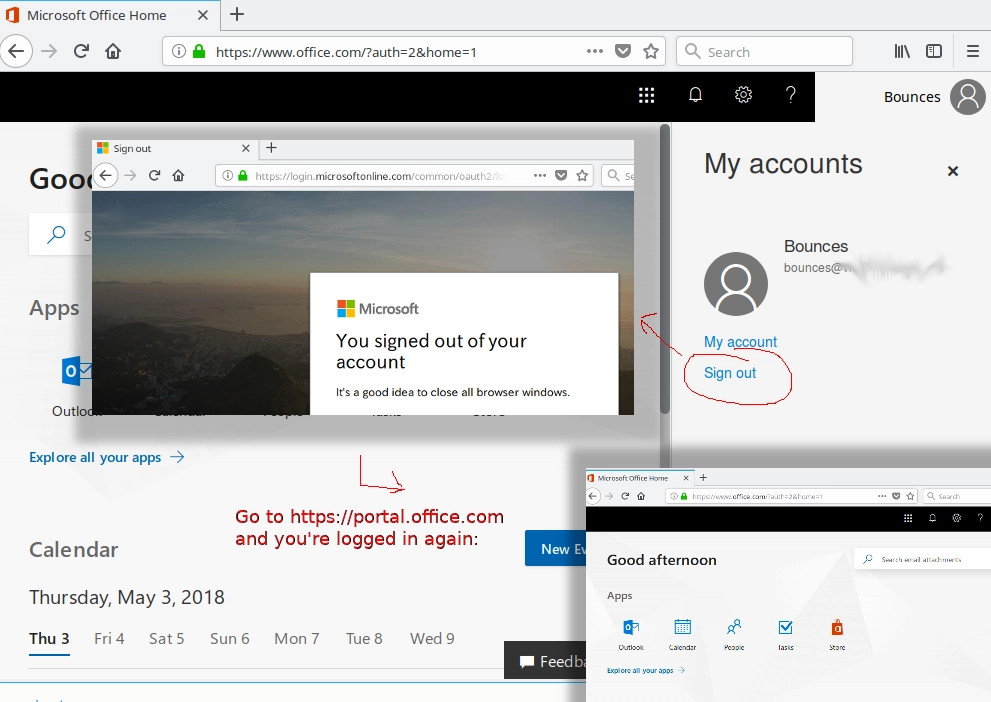
When logged in to https://portal.office.com/, users have the option to sign out, naturally. When you do, you're presented with an elegantly crafted exit screen saying that you are. But are you? If you go back to https://portal.office.com/, you're just logged in again. No password, no question asked.
This is a problem on any computer that isn't yours, like a laptop in a meeting room or a PC at a front desk. You check your mail, sign out like a good citizen, and the next person who opens the portal in the same browser sees your mailbox.
After reporting this to Microsoft's secure@microsoft.com, the response was:
Thank you for contacting the Microsoft Security Response Center (MSRC). After investigation we have determined this does not meet the bar. Success of this attack is predicated on a compromised session by having the auth cookie and the session ID cannot be brute forced.
As such, this email thread has been closed and will no longer be monitored.
So someone first has to get hold of your session. But that is what happens when someone sits down at the same browser after you.
Maybe that's why they tell you to close your browser... Until that changes, use a private browser window for Office 365 on a shared computer and close all its windows when you're done.